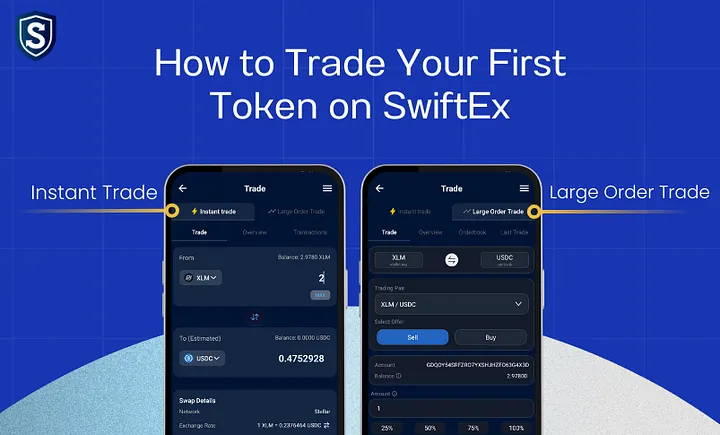
How to Trade Your First Token on SwiftEx
Trading cryptocurrency doesn’t have to be complicated. With SwiftEx, you can start trading tokens easily using features designed for both beginners and advanced traders. Whether you want to make a quick swap or place a custom large order, SwiftEx provides the right tools to get started.
In this guide, we’ll walk you through how to trade on SwiftEx step by step using two powerful features: Instant Trade and Large Order Trade.
Activate Your Trade Wallet
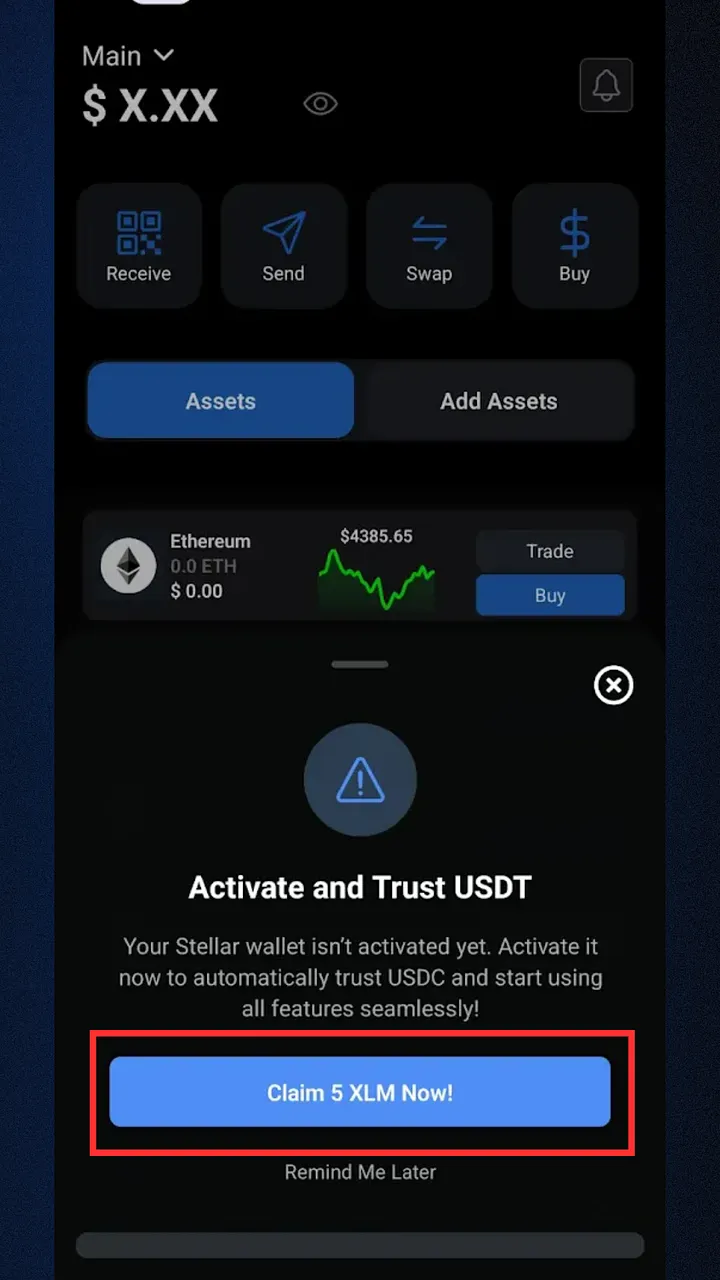
Before you start your first trade on SwiftEx, you need to activate your Trade Wallet. Without activation, you won’t be able to access features like Instant Trade or Large Order Trade.
When you log into the app, you’ll see a prompt to activate and trust supported tokens (e.g., USDT, USDC). Simply Activate and Trust USDC. Once your wallet is activated, you can seamlessly access all trading features and start your journey to trade on SwiftEx.
1. Trade on SwiftEx with Instant Trade
The Instant Trade feature on SwiftEx allows you to quickly swap between supported token pairs with real-time market execution. It’s perfect for users who want fast conversions without dealing with complex charts or order books.
Note: Make sure your Trade Wallet is activated before using this feature
Steps to Trade Using Instant Trade
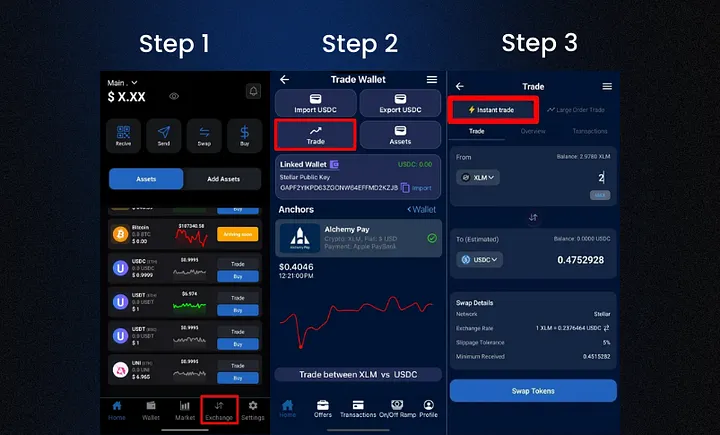
Step 1: Navigate to Instant Trade
- From the default Wallet screen, tap on the ‘Exchange’ tab in the bottom navigation menu.
- On the Exchange screen, select the ‘Trade’ option, and then choose ‘Instant Trade’.
Step 2: Select Your Trading Pair
- Choose the cryptocurrency you wish to sell (e.g., BTC, ETH).
- Choose the cryptocurrency you wish to buy (e.g., USDT, USDC).
- You can trade between any supported pairs, depending on available liquidity.

Step 3: Enter Transaction Amount
- Enter the amount of crypto you want to sell or the amount you want to buy.
- SwiftEx will instantly calculate the equivalent value using real-time market rates.
.webp)
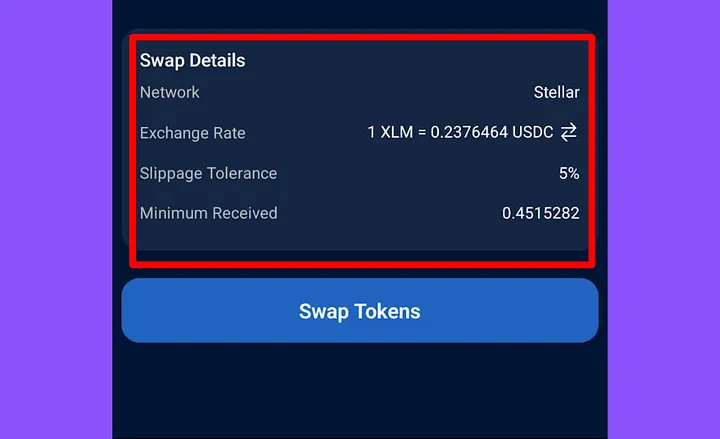
Step 4: Review Your Trade Details
Check all important details before proceeding
- Exchange Rate – Current conversion rate between tokens.
- Slippage Tolerance – Max price change you’re willing to accept.
- Estimated Network Fee – Approximate blockchain transaction cost.
- Minimum Received – The lowest amount you’ll get after fees.
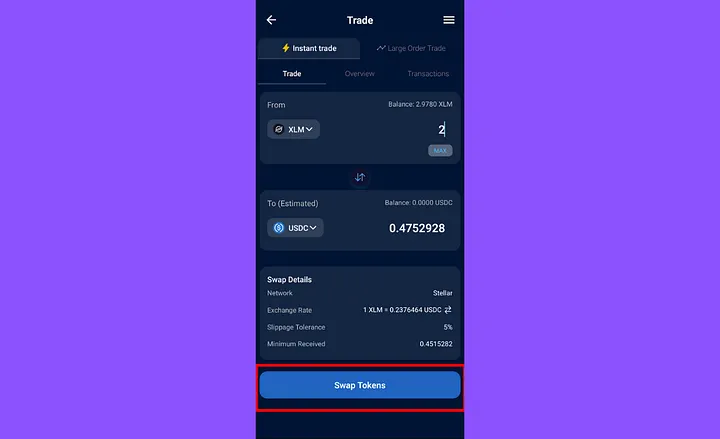
Step 5: Confirm Your Instant Swap
Once satisfied, tap ‘Swap Token’ to finalize your trade.
Your swap will execute at the best available market price with real-time liquidity providers.
After confirmation, view full details in your Transaction History.
2. Trade on SwiftEx with Large Order Trade
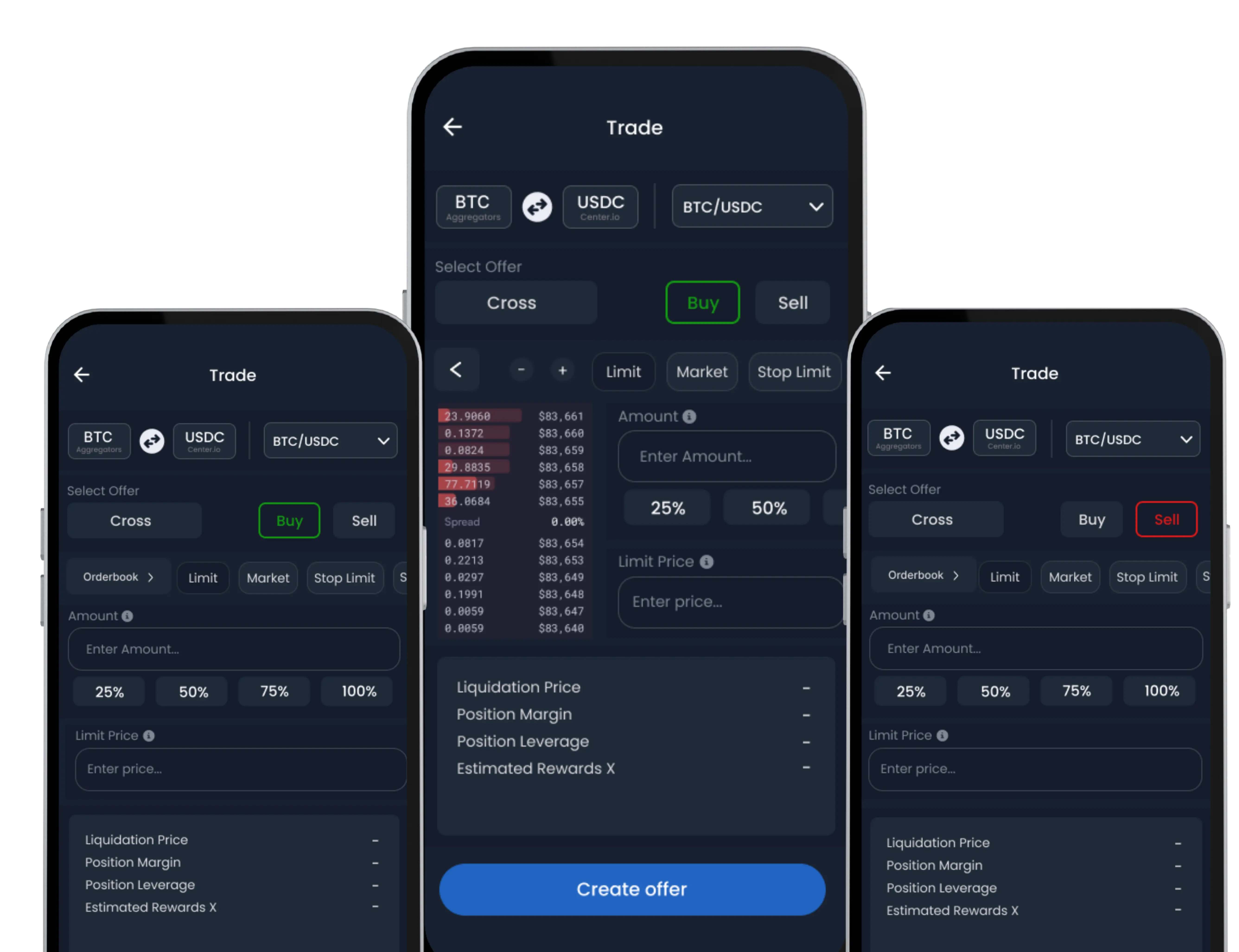
For users who want more control over their trades, SwiftEx offers the Large Order Trade feature. This lets you place custom buy or sell orders for high-volume trades at your chosen price ideal for strategic trading decisions.
Note: Trade Wallet activation is required for this feature as well.
Steps to Place a Large Order Trade
Step 1: Navigate to Large Order Trade
- From the Wallet screen, tap the ‘Exchange’ tab.
- Select the ‘Trade’ option, then choose ‘Large Order Trade’.
.webp)
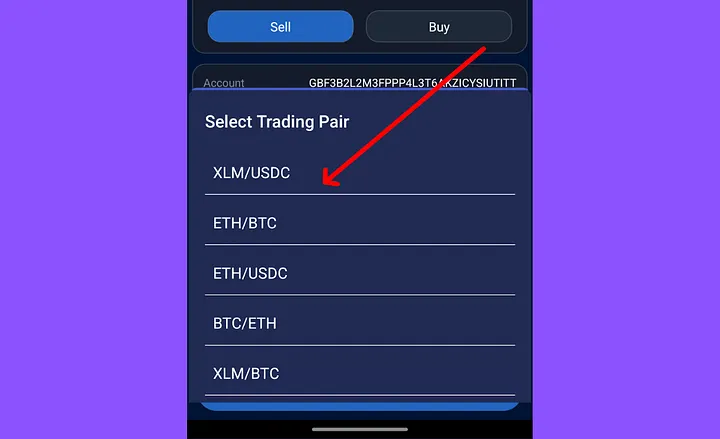
Step 2: Choose Trading Pair and Order Type
- Select the cryptocurrency pair (e.g., ETH/USDC).
- Specify whether you’re placing a Buy or Sell order.
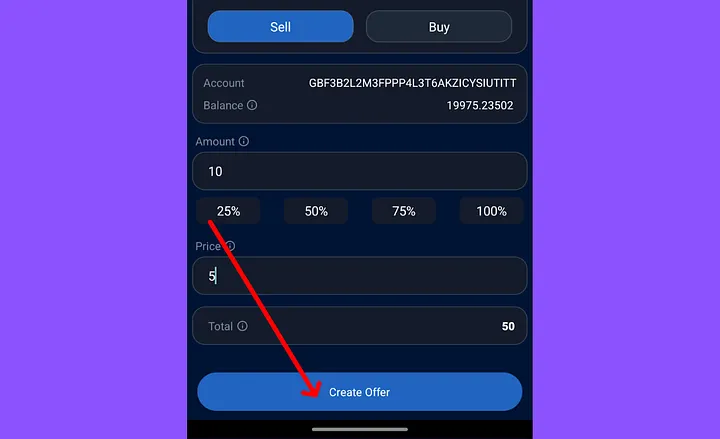
Step 3: Set Custom Price and Amount
- Enter the exact amount of the asset you want to trade.
- Define your preferred execution price to match your trading strategy.
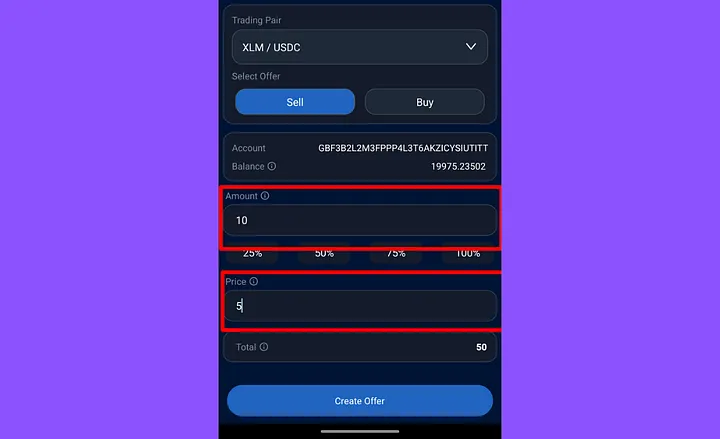
Step 4: Create Your Offer
- Tap ‘Create Offer’ to submit your custom order.
- Your order will appear in the order book and remain active until it’s filled, modified, or canceled.
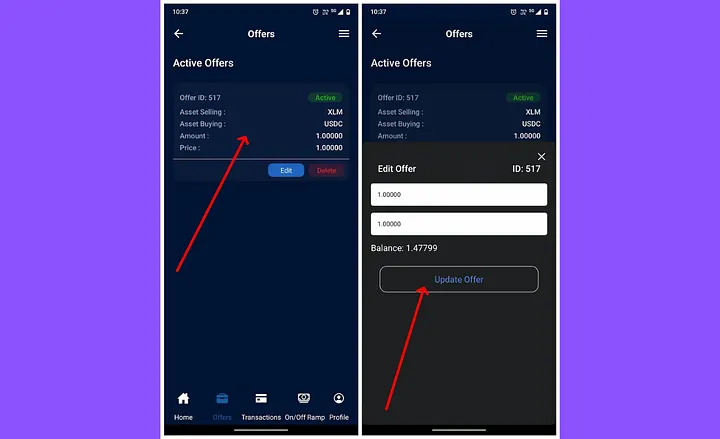
Step 5: Manage Your Offers
- Access the ‘Offers’ section in the app to view, edit, or cancel active trades.
- This ensures full control over your ongoing orders without constant resubmission.
Final Thoughts
SwiftEx makes it simple for both beginners and seasoned traders to manage their crypto assets. If you’re new, Instant Trade is the fastest way to swap tokens in just a few taps. For those who prefer precision and strategy, Large Order Trade provides full control over execution.
With this guide, you’re now ready to trade on SwiftEx and make your first crypto transaction with confidence.
Follow us on