How to Do Spot Trading on SwiftEx
In the fast-moving world of cryptocurrency, spot trading remains the most accessible and reliable method for exchanging digital assets. At SwiftEx, we provide two distinct yet powerful ways to conduct spot trades: Instant Trade and Large Order Trade. Both are designed to fit your trading style whether you need quick execution or full control. In this detailed guide, you'll learn how to perform spot trading on SwiftEx using both Instant Trade and Large Order Trade features, step by step.
What Is Spot Trading on SwiftEx?
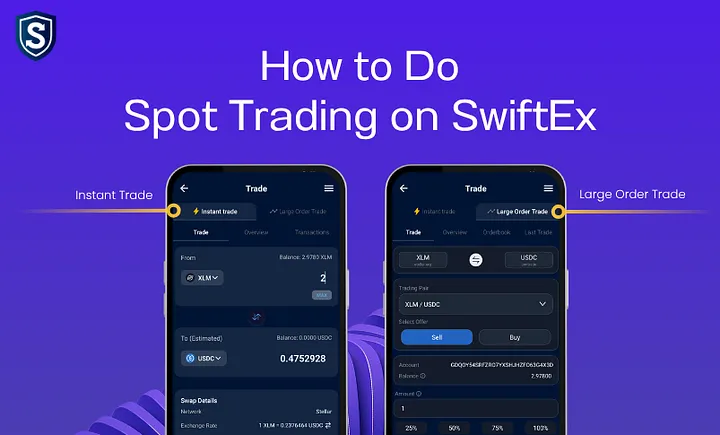
Spot trading involves the immediate purchase or sale of cryptocurrency at the current market price. On SwiftEx, spot trading is available in two ways:
- Instant Trade – Designed for fast, real-time swaps with minimal effort.
- Large Order Trade – Built for users who want to set specific amounts & prices for larger or strategic transactions.
Both options are fully integrated within the SwiftEx ecosystem and require Trade Wallet activation before use.
Step-by-Step Guide: How to Do Instant Trade on SwiftEx
Note: This feature requires Trade Wallet activation before use.
Step 1: Open Trade Section
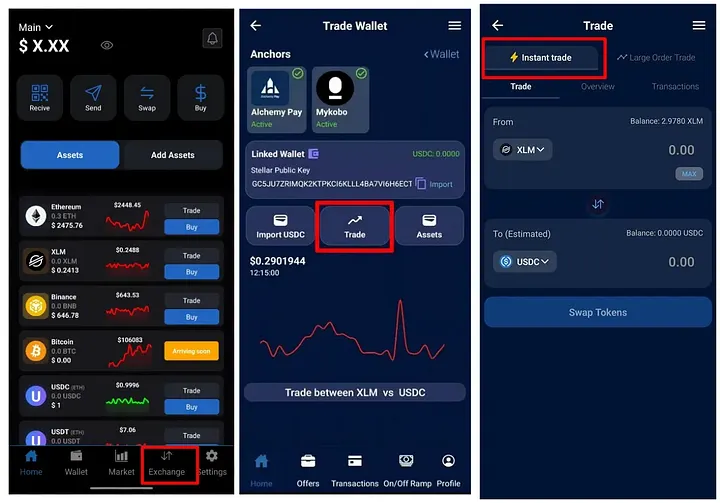
Open the SwiftEx App and tap on the ‘Exchange’ tab from the bottom navigation menu. Now Click on Trade ( under Trade Wallet ). Select ‘Instant Trade’ from the available options from the top.
Step 2: Choose Trading Pair
In the Instant Trade interface:
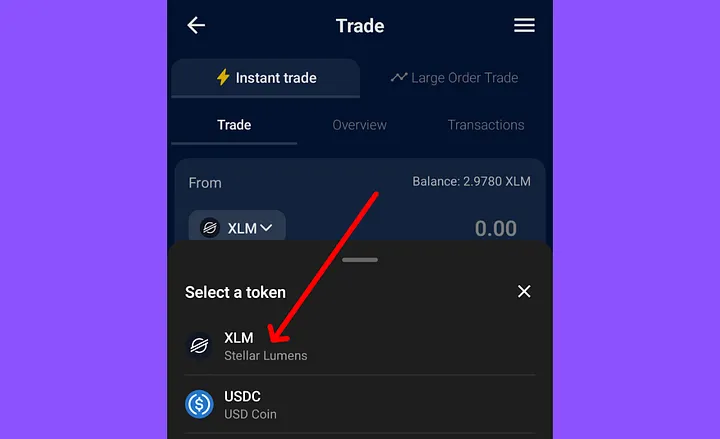
-Select the token you want to sell (from).
- Select the token you want to buy.
You can trade between any supported pairs depending on the liquidity available in the network.
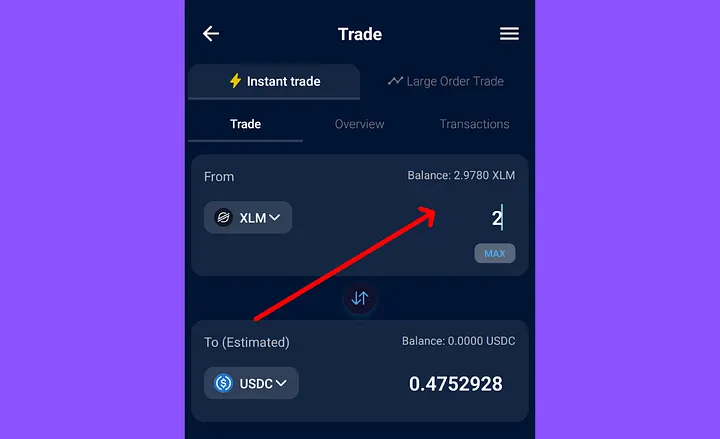
Step 3: Enter Amount
Specify the amount of the token you wish to sell or buy.
The system will auto-calculate the corresponding value of the other token based on current market conditions.
Step 4: Review Trade Details
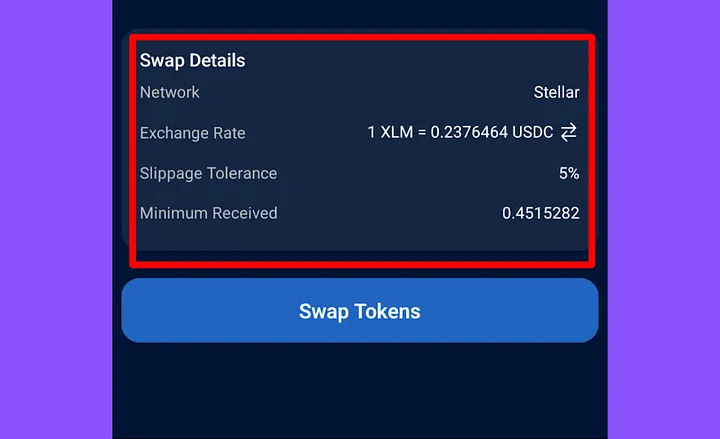
Before proceeding, review the trade information:
-Exchange rate
-Slippage tolerance
-Minimum Received
It’s important to confirm that the rate aligns with your expectations before swapping.
Step 5: Confirm Swap
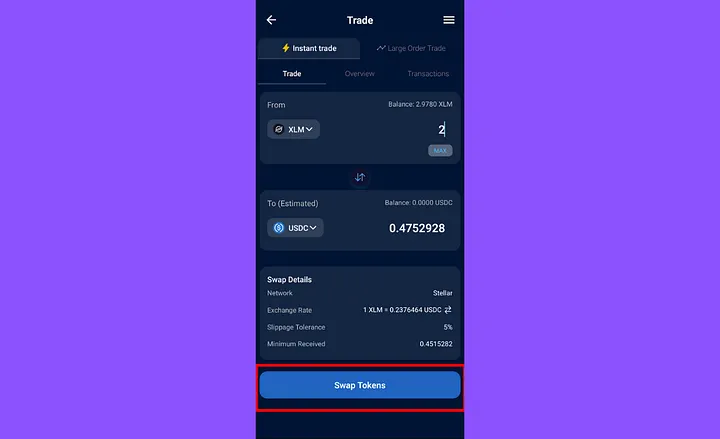
Once everything looks good, tap ‘Swap tokens’ to initiate the trade.
The swap will be executed instantly at the best available market price based on real-time quotes from integrated providers.
Why Use Instant Trade for Spot Trading?
- Fast execution at current market prices
- No learning curve or complex charting required
- Real-time quotes aggregated from top liquidity providers
- Non-custodial trading via your secure Trade Wallet
Instant Trade is perfect for beginners and pros alike who want reliable and immediate access to crypto conversions.
Step-by-Step Guide: How to Do Large Order Trade on SwiftEx
Note: This feature requires Trade Wallet activation before use.
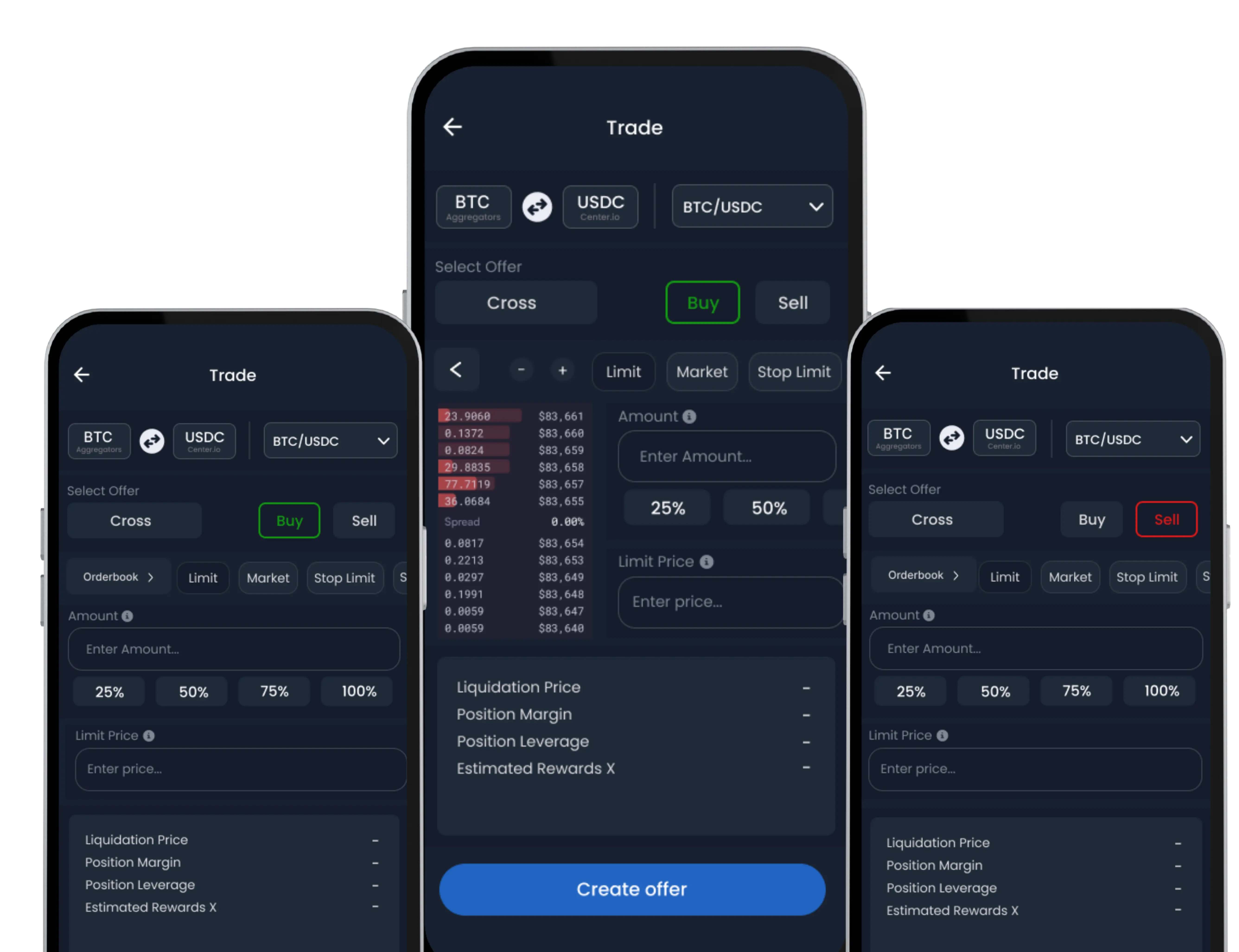
For users who demand strategic execution, SwiftEx offers the Large Order Trade feature. It’s designed for placing custom buy/sell offers with full control over price, volume & ideal for high-volume or professional trades.
Step 1: Navigate to Large Order Trade
From the default Home screen, tap on the ‘Exchange’ tab in the bottom navigation menu.
On the Exchange screen, Click the ‘Trade’ option, and then choose ‘Large Order Trade’.

Step 2: Choose Trading Pair
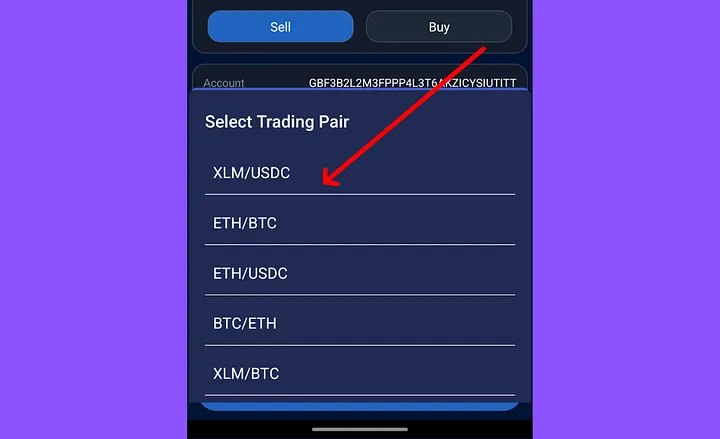
Select the cryptocurrency pair you wish to trade (e.g., ETH/USDC).
Then, specify whether you want to place a Buy or Sell order.
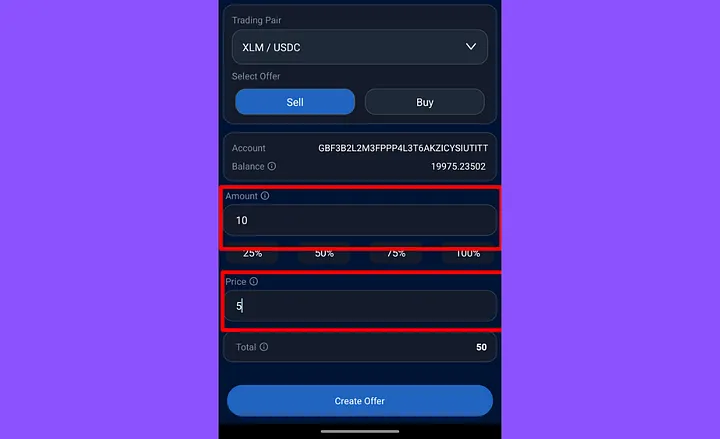
Step 3: Set Amount & Price
Enter the exact amount of the asset you intend to buy or sell. Next, define your desired price at which you want the trade to execute. This flexibility allows you to precisely target specific market conditions that align with your trading strategy.
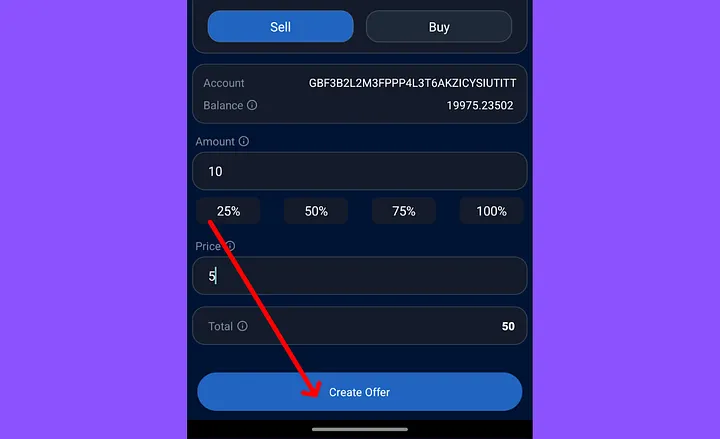
Step 4: Create Offer
Tap ‘Create Offer’ to submit your custom trade. Your offer will be promptly listed in the order book and will remain active until it is fully filled, modified, or you manually cancel it.
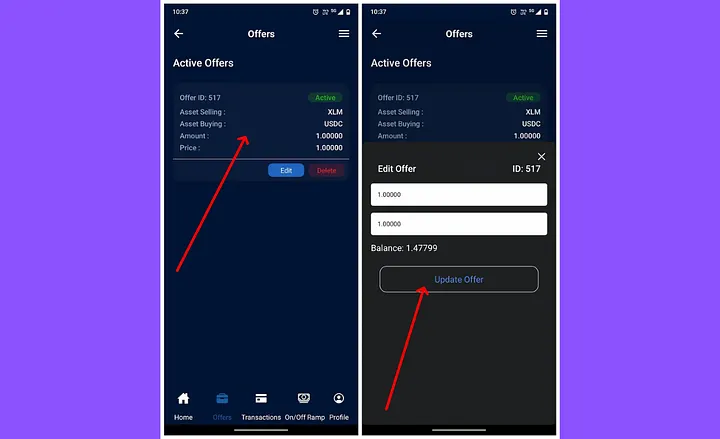
Managing Your Offers
You can easily view, edit, or delete your active trade offers at any time by visiting the ‘Offers’ section within the app. This provides you with complete control over your ongoing large orders, eliminating the need to repeatedly resubmit trades.
Why Use Large Order Trade for Spot Trading?
- Execute high-volume trades
- Set custom price & amount to match your trading strategy
- Full order book visibility and Create Offers
- Manual control over order creation and Edit or cancel.
- Ideal for experienced traders and institutional participants
This feature is built to meet the demands of power users who want more than just market execution — they want precision and planning.
Instant Trade vs Large Order Trade – Which Spot Method to Choose?

Both methods offer unique benefits depending on your goals. Instant Trade is your go-to for rapid conversions, while Large Order Trade gives you flexibility for tactical execution.
Security and Wallet Activation
Both trading options operate through your SwiftEx Trade Wallet, which ensures:
- Non-custodial ownership of your assets
- Multi token support
- 2FA-enabled protection
- Real-time trade history access
Once your wallet is activated, you're fully equipped to start spot trading your way.
Start Spot Trading on SwiftEx Today
Whether you're making your first swap or managing a high-volume crypto portfolio, SwiftEx offers the tools, flexibility, and security you need to trade with confidence. From fast-paced conversions to strategic limit orders, every type of trader can find their edge on SwiftEx.
-Download the SwiftEx App
-Activate your Trade Wallet
-Choose Instant Trade or Large Order Trade
-Start your spot trading journey today
Experience the future of crypto trading secure, swift, and seamless.
Follow us on