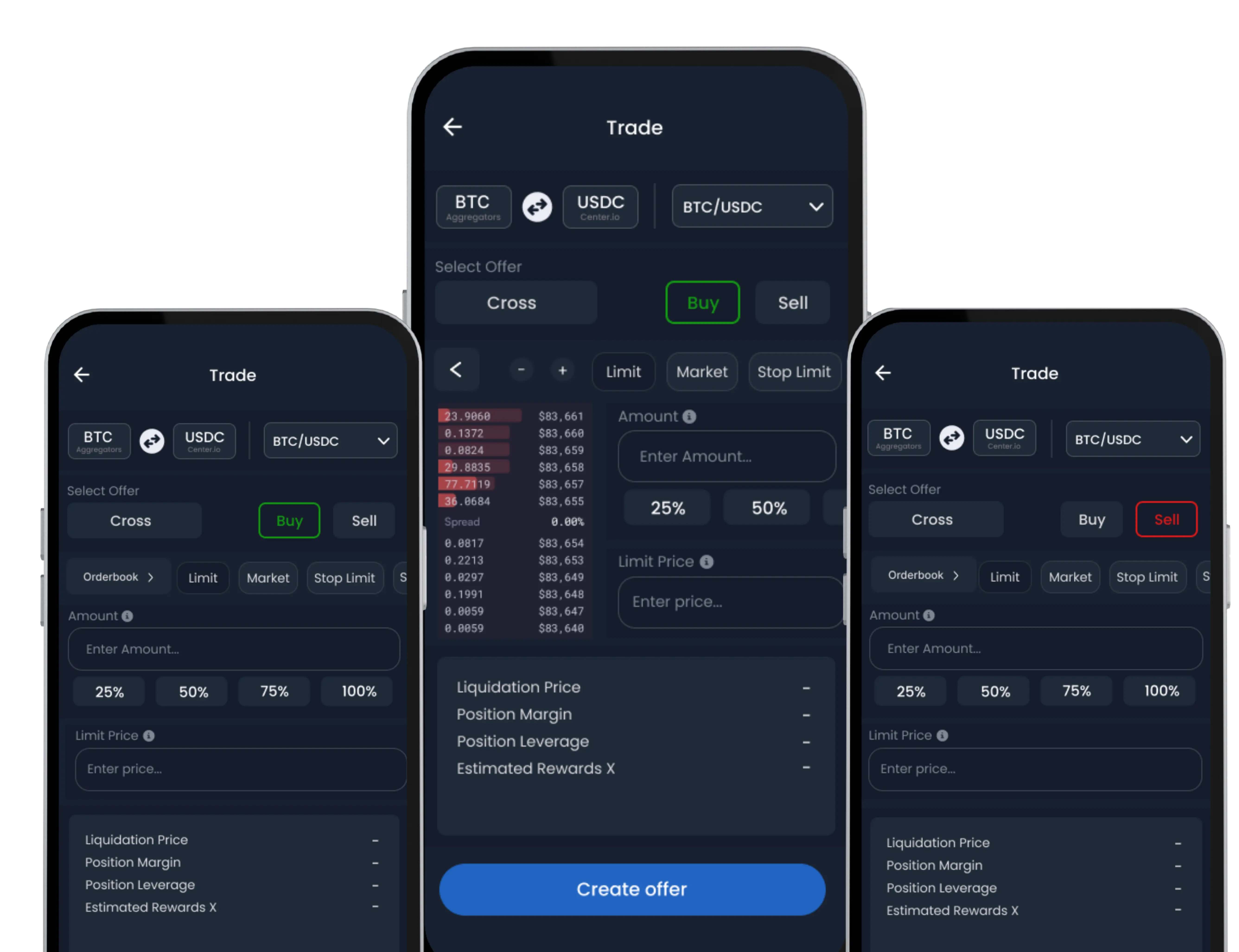
The Large Order Trade feature is designed for users who want greater control over their trades. It allows you to place custom buy or sell offers for high-volume transactions at your desired price, making it ideal for strategic trading decisions.
Note: This feature requires Trade Wallet activation before use.
Follow the steps below to place a custom trade offer using the Large Order Trade option:
How to Place a Large Order Trade
-
Navigate to Large Order Trade
From the default Wallet screen, tap on the ‘Exchange’ tab in the bottom navigation menu.
On the Exchange screen, select the ‘Trade’ option, and then choose ‘Large Order Trade’.
-
Choose Trading Pair and Order Type
Select the cryptocurrency pair you wish to trade (e.g., ETH/USDC). Then, specify whether you want to place a Buy or Sell order.
-
Set Custom Price and Amount
Enter the exact amount of the asset you intend to buy or sell.
Next, define your desired price at which you want the trade to execute. This flexibility allows you to precisely target specific market conditions that align with your trading strategy.
-
Create Your Offer
Tap ‘Create Offer’ to submit your custom trade. Your offer will be promptly listed in the order book and will remain active until it is fully filled, modified, or you manually cancel it.
Managing Your Offers
You can easily view, edit, or delete your active trade offers at any time by visiting the ‘Offers’ section within the app. This provides you with complete control over your ongoing large orders, eliminating the need to repeatedly resubmit trades.